Always-on HTTPS enforcement for Chrome users with minimal configuration
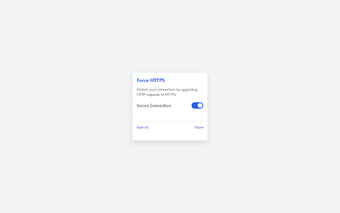
Force HTTPS Secure Connection, from Oli Apps, is a Chrome extension that enforces encrypted web connections for everyday browsing and on public networks. It operates by automatically upgrading insecure requests to secure ones so credentials and form data travel over encrypted channels when a secure endpoint exists. The tool requires no user setup, keeps a low profile in the browser, and targets privacy-conscious users, remote workers, and travellers who prefer a low-maintenance security layer.
What the extension does during normal browsing
The extension upgrades web requests to use encrypted channels when a secure version exists, reducing exposure on unprotected networks. In practice it rewrites outgoing requests so logins and message traffic attempt secure endpoints first. Typical scenarios include public Wi-Fi and shared networks where local interception is a risk. The extension runs continuously without manual steps, so it fits a set-and-forget browsing workflow for users who rarely change browser settings.
How it affects browser performance and resource use
Designed for low overhead, it handles request rewriting with a performance-oriented API. The developer uses Declarative Net Request technology to process rules inside the browser, which intercepts and rewrites requests in milliseconds. That approach reduces per-request CPU work and avoids persistent background processes, helping to keep page rendering responsive on standard hardware compared with larger security suites that run separate services.
How it changes privacy and tracks handling
It reduces common tracking exposure and helps prevent man-in-the-middle interception on public networks. The extension blocks or redirects requests that would otherwise travel over HTTP and can prevent certain ISP-injected tracking scripts from executing. The project is built around a privacy-focused goal, so it operates without prompting users for configuration, making it suitable for people who want encryption applied by default.
How it fits into the Chromium ecosystem and daily workflows
It integrates with Chrome and other Chromium-based browsers and supports global users. Availability for Chrome-family browsers makes installation straightforward for that ecosystem, and support for 41 languages broadens its accessibility. Because there are no advanced settings to configure, power users who need granular rule control may prefer complementary tools; for most users the extension fills a narrow security role without adding UI complexity.
A pragmatic, low-maintenance add-on that complements broader protections
The extension is a practical choice for Chrome users who want continuous encryption with minimal intervention. Its small runtime footprint makes it easy to leave enabled, and it serves as a complement to broader network or endpoint defenses rather than a single-layer replacement. Users requiring fine-grained controls or non‑Chromium browser support should plan to combine it with other security tools.